

What Is Included in a Technical SEO Audit? (2026 Checklist)
If you have ever wondered why your high-quality content isn’t ranking, the answer often lies beneath the surface. In my years as an SEO consultant, I have seen brilliant websites fail simply because search engines couldn’t properly access or understand them. This is where a technical audit becomes non-negotiable.
So, what is included in a technical seo audit? It is not just a generic scan from a tool; it is a comprehensive health check of your website’s infrastructure. It ensures that search engine bots can crawl, index, and render your pages without friction. In 2026, with the rise of AI-driven search (SGE), having a flawless technical foundation is more critical than ever.
In this guide, I will walk you through the exact components I analyze during a professional audit, moving beyond basic checklists to the nuanced standards that actually move the needle.
The Foundation: Crawlability and Indexation
Before Google can rank your content, it must be able to find it. The first phase of any audit focuses on the pathways available to search engine bots. If these “roads” are blocked, nothing else matters.
Robots.txt and Bot Access
Your robots.txt file is the gatekeeper of your site. It tells crawlers where they can and cannot go. A common issue I see is accidental blocking of critical resources (like CSS or JavaScript files), which prevents Google from rendering the page correctly.
Key Audit Checks:
• Verify Disallow directives do not block important landing pages.
• Ensure the XML sitemap location is declared at the bottom of the file.
• Check for “crawl budget” waste—blocking low-value parameters (like ?sort=price) to save bot resources for high-value content.
XML Sitemaps and Architecture
An XML sitemap acts as a roadmap for search engines. However, simply having one isn’t enough. It must be clean, updated, and efficient. IAB standards suggest limiting sitemaps to 50,000 URLs, but for optimal performance, I recommend segmenting them by content type (e.g., posts, products, pages).
| Feature | Requirement | Why It Matters |
|---|---|---|
| Format | XML (Standard) | Universal acceptance by all major search engines. |
| Cleanliness | Zero 404s or Redirects | Directs bots only to live, 200 OK status pages. |
| Size Limit | < 50MB / 50k URLs | Prevents timeout errors during crawling. |
| Last-Mod | Accurate Date | Signals content freshness to encourage re-crawling. |
Indexation Status in Search Console
Using Google Search Console (GSC) is non-negotiable. I analyze the “Pages” report to identify discrepancies between what you want indexed and what is actually indexed. As noted in a audit guide by Neil Patel, resolving these discrepancies can recover significant lost impressions. We specifically look for the “Crawled – currently not indexed” status, which often indicates quality issues rather than technical blocks.
Performance: Core Web Vitals and Speed
User experience is now a hardcore ranking factor. In my audits, I don’t just look for “fast”; I look for specific metric thresholds defined by Google’s Core Web Vitals. This aligns with the future of SEO for professional firms, where user trust and experience are paramount signals.
Defining the Metrics
It is crucial to understand exactly what we are measuring. Missing these benchmarks can severely hamper your visibility.
| Metric | Full Name | Target Threshold | What It Measures |
|---|---|---|---|
| LCP | Largest Contentful Paint | < 2.5 seconds | Loading performance of the main content. |
| FID / INP | First Input Delay / Interaction to Next Paint | < 200 ms | Interactivity and responsiveness. |
| CLS | Cumulative Layout Shift | < 0.1 | Visual stability (no jumping elements). |
Mobile-First and Responsiveness
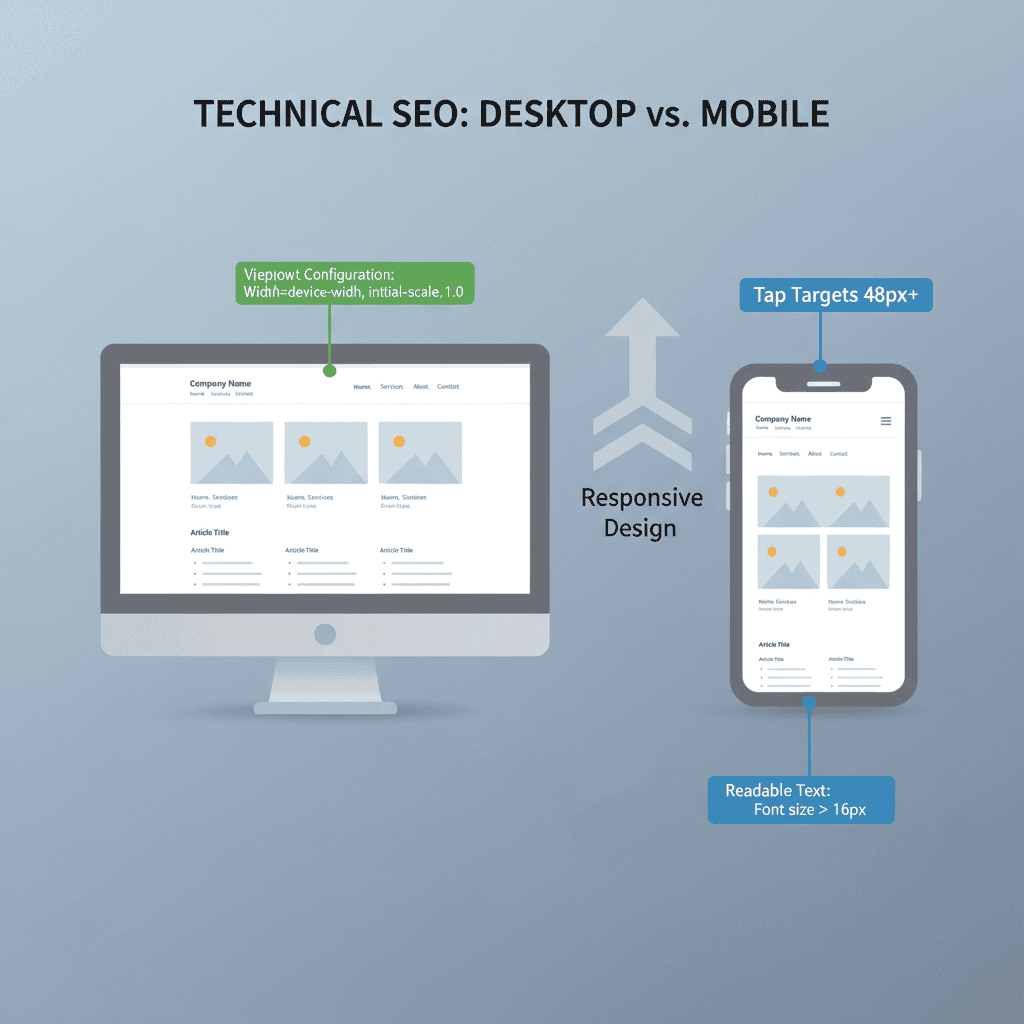
Since Google switched to mobile-first indexing, I audit your site as if I am a mobile device. This goes beyond simple responsiveness. I check for “tap target” sizes (buttons must be at least 48×48 pixels) and ensure that no content is hidden on mobile views compared to desktop.
Site Structure and Internal Linking
A healthy site architecture helps link equity flow throughout your domain. This is particularly important when deciding between local SEO vs national SEO, as local sites often require specific hierarchical structures for location pages.
URL Structure and Hierarchy
I look for a logical, shallow depth structure. Ideally, no important page should be more than 3 clicks away from the homepage. URLs should be descriptive, lowercase, and use hyphens rather than underscores.
Common Issues Found:
• Orphan Pages: Pages that exist but have no internal links pointing to them.
• Deep Nesting: URLs like domain.com/blog/category/2026/date/post-name dilute value.
• Broken Links: Internal 404s break the user journey and waste crawl budget.
Internal Linking Strategy
Internal links are the nerves of your website. I audit anchor text distribution to ensure it is descriptive without being spammy. We also check for “cheater links”—links that are hidden via JavaScript or CSS, which Google may devalue.
On-Page Technical Elements
This section of the audit ensures that the content you create is technically optimized to be understood by machines.
Canonicalization and Duplicate Content
Duplicate content splits your ranking power. A 2024 industry report noted that duplicate content affects up to 25% of enterprise sites. The solution lies in the strict use of Canonical Tags (rel="canonical").
My Audit Checklist for Canonicals:
1. Ensure every page has a self-referencing canonical tag unless it is a duplicate.
2. Verify that canonical tags point to the absolute URL (including https://).
3. Check that paginated series (Page 2, Page 3) point to themselves, not Page 1.
Schema Markup and Structured Data
Structured data helps you stand out in SERPs with rich snippets. This is a powerful way to build your personal brand with AI, as defining your “Person” or “Organization” entity clearly helps AI models understand who you are.
I validate implementation using the Schema.org vocabulary. Common errors include missing required fields (like price or availability for products) which prevents the rich snippet from appearing.
HTTPS and Security
Security is a trust signal. I scan for “Mixed Content” issues—where a secure HTTPS page loads insecure HTTP resources (like images or scripts). This triggers browser warnings that kill conversion rates instantly. According to comprehensive technical checklists, securing every resource is fundamental for retaining user trust.
The Technical Audit Workflow
Knowing what is included in a technical seo audit is step one; executing it is step two. Here is the workflow I use to ensure nothing slips through the cracks.
Tools of the Trade
No single tool catches everything. I use a “triangulation” method using multiple data sources:
| Tool Category | Primary Tool | Purpose |
|---|---|---|
| Crawling | Screaming Frog / DeepCrawl | Simulates bot behavior to find broken links and architecture flaws. |
| Performance | Google PageSpeed Insights | Measures Core Web Vitals and lab data. |
| Monitoring | Google Search Console | Provides real-world indexation data and error reports. |
| Validation | Schema Markup Validator | Tests structured data syntax and eligibility. |
Prioritizing Your Fixes
Not all errors are created equal. I categorize findings into three tiers to help clients manage resources effectively:
- Critical (Immediate Action): Blocks crawling or indexing (e.g.,
noindextags on homepages, server 5xx errors). - High Impact (Weeks): Affects user experience or ranking potential (e.g., LCP > 4s, broken internal links, missing canonicals).
- Optimization (Months): “Nice to have” improvements (e.g., optimizing image file names, minor HTML validation).
Key Takeaways
• Crawlability First: Ensure robots.txt and sitemaps are error-free; if Google can’t see it, they can’t rank it.
• Speed is Vital: Aim for an LCP under 2.5 seconds and CLS under 0.1 to pass Core Web Vitals.
• Structure Matters: Keep your site architecture shallow (3 clicks max) to preserve link equity.
• Secure Everything: Fix mixed content issues to maintain the HTTPS trust signal.
• Regular Audits: As technical best practices evolve, conduct a full audit at least twice a year.
FAQ Section
What are the five core pillars of a technical SEO audit?
The five pillars are Crawlability, Indexability, Site Architecture, On-Page Technicals (Schema/Canonicals), and Performance (Speed/Core Web Vitals).
How often should I conduct a technical SEO audit?
For most businesses, a comprehensive audit every 6 months is sufficient. However, large e-commerce sites or news publishers should audit monthly or weekly due to the high volume of new pages.
How do I check for crawlability issues?
Start with Google Search Console’s Coverage report to see valid vs. excluded pages. Then, use a crawler like Screaming Frog to simulate Googlebot’s path through your site and identify blocks in your robots.txt file.
What is the difference between an SEO audit and a technical SEO audit?
A standard SEO audit may include content quality, keyword usage, and backlink profiles. A technical SEO audit strictly focuses on the infrastructure—server responses, code efficiency, rendering, and bot access—ignoring the subjective quality of the content itself.
Can I do a technical audit myself?
Yes, basic audits can be done using free tools like Google Search Console and PageSpeed Insights. However, interpreting the data to fix complex issues (like JavaScript rendering or canonical chains) often requires an expert’s eye.